How to get rid of virus on phone without a factory reset?

Andrew

New member
My phone has been acting strange, showing constant pop ups and lagging. I’m worried about my data security. Does anyone have a guide on how to get rid of virus on phone infections? I’m looking for a way to clean it without losing all my photos and contacts.
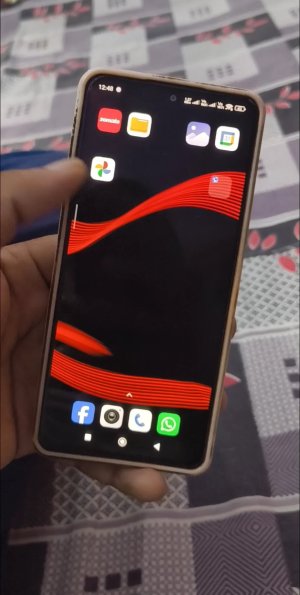
IMG 65465.jpg
 
You can minimize the use of unsafe modes, delete any traces of web browsers, update your operating system, and run a reputable mobile security scanner.
 
Install a reputable antivirus program and do a system scan. Get rid of suspicious applications that you are not familiar with. Empty browser history and untrustworthy permissions. upgrade phone OS and applications. Do not busy with unknown links and downloads. Boot into Safe Mode to get rid of recalcitrant malware.
 
Totally get the stress 😅 You can usually fix this without a reset, uninstall any suspicious apps, run a trusted mobile antivirus, clear browser data, and update your phone’s OS. I’ve done this before and it cleaned things up without losing photos or contacts
 
First thing you need to do is boot into Safe Mode. On most phones, hold the power button, then long-press the "Power Off" icon on the screen. This disables all third-party apps. If the pop-ups stop, you know it's a rogue app. Go to Settings > Apps and look for anything you don't recognize, especially stuff with generic names like "System Update" or apps with no icon. Uninstall them immediately.
 
Oh sure, because clicking on "Hot Singles in Your Area" definitely wasn't going to end like this. Have fun with your new Russian roommates living in your CPU.
 
Whatever you do, do NOT log into your bank or any sensitive accounts until this is fixed. If it’s a keylogger or a Trojan, they’re just waiting for you to type your password. You should probably change your passwords from a different device just to be safe.
 
I had this happen last month. It turned out to be a "Barcode Scanner" app I downloaded. I ran a scan with Malwarebytes (the free version) and it found the hidden APK in seconds. Give that a shot before you go nuclear and wipe the whole thing.
 
Is this why my phone keeps getting hot? I thought it was just the weather. How do I find the "Settings" you're talking about?
 
same problem bro:cry:
Dont cry lol here follow this
Check your Device Admin settings. Go to Settings > Security > Device Admin Apps. Sometimes malware gives itself admin rights so you can't uninstall it normally. If you see something suspicious there, revoke its rights first, then try to delete the app. Also, clear your browser cache in Chrome/Safari; sometimes the "pop ups" are just malicious site notifications.

i hope this will work
 
OMG I'm having the same issue and I'm terrified they have my photos!! Does Malwarebytes actually work?? I'm literally shaking right now I can't lose my data.
 
It's always a "cleaner" app or a "battery saver." People download garbage and then wonder why their phone is screaming. Stop sideloading random APKs from sketchy sites, guys. It's 2026, we should know better by now.
 
Back
Top