Why does my phone say no sim?

evelynmarston

New member
I’m suddenly getting a "No SIM" error on my device, even though the card is clearly inside the slot. I haven't dropped the phone or changed any settings recently. I’ve tried toggling Airplane Mode and restarting the phone multiple times, but the notification won't go away. Could this be a software glitch after an update, or is it more likely that the SIM card itself has gone bad? Looking for any troubleshooting tips to fix this before I have to go to the carrier store and pay for a replacement.
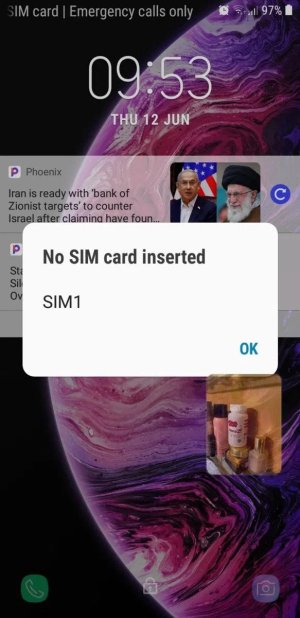
IMG 654654.jpg
 
No SIM error normally indicates that the phone does not physically recognize the card. Common causes include:
  1. Loose Placement: The SIM was moved or not seated in the tray.
  2. Dirty Contacts: There is dust that is covering the gold chip.
  3. Software Glitch: There is a momentary glitch that is not being detected.
 
You are likely getting the message No SIM your phone does not identify the SIM card. This may occur when the SIM is not fitted right, when the card is faulty, the phone software has a glitch or when you have a network problem. One of the ways to figure out the issue is by rebooting the phone, replacing the SIM or taking another SIM and trying it.
 
This is generally not a case of a SIM "going bad" all of a sudden. First, turn off the phone, take out the SIM, give it a gentle cleaning, and put it back correctly. If you can, use the SIM in another phone or try a different SIM in your phone to see if it's the card or the device that gives the problem. You should also consider checking the system update status or resetting the network settings, as updates can, at times, lead to detection glitches. If the SIM is not working in any phone, then it is probably defective; if other SIMs also fail in your phone, your problem might be the SIM tray or the antenna.
 
Back
Top